
- cross-posted to:
- politics@lemmy.world
- cross-posted to:
- politics@lemmy.world

https://xcancel.com/OversightDems/status/2002430296172745079#m
https://archive.is/cssvt (archive of the 403 error page)
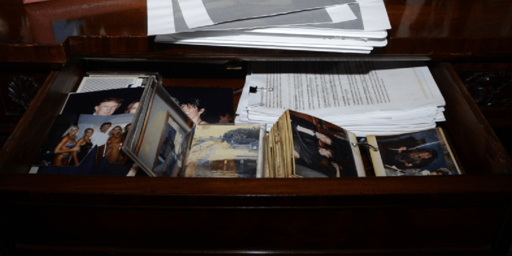
Screenshot from the DOJ website. File 468 is missing. I downloaded it yesterday.

When I extracted it it was only 492 kB, so I’m not sure why this image ended up being 854 kB. They’re the same image, ultimately: when I used ImageMagick’s
comparetool it showed them as being pixel-identical, and they optimized down to bit-identical files after running them through Efficient Compression Tool with the flags-9 -strip.What method did you use, out of curiosity? I used
mutool extracton the PDF, which spit out the single PNG.I used the pdfimages command in poppler-utils.
https://packages.debian.org/trixie/poppler-utils
I did some digging and it looks like lossless images aren’t really stored as PNGs, per se:
https://en.wikipedia.org/wiki/PDF#Raster_images
pdfimageshints at this when all the other images output options say things like “write JPEG images as JPEG files” but then the PNG output option says “change the default output format to PNG” (if you don’t supply any arguments it spits out raw PPM files).In fact, if you look at the size of the original PDF, it’s 385 kB—more in line with the optimized filesize I ended up with. My guess is that
mutool extractsimply makes a bit more of an effort to recompress the image thanpdf2images, but in both cases they’re falling short of the original compression (at least for this PDF).(completely unrelated, but I found it funny that the PDF uses the woke sans-serif font Helvetica)